

TerminalMaster PC

Gdzie znale藕膰 najlepsz膮 ofert臋 na TerminalMaster na {6}? Por贸wnaj ceny z 1 sklep贸w i wybierz najlepsz膮 opcj臋 spo艣r贸d 1 ofert dost臋pnych na XD.deals. Obecnie najni偶sza cena TerminalMaster w keyshopach jest na 45,99聽z艂 (0% taniej).

Premiera: 19 mar 2025
Keyshops
Brak dost臋pno艣ci
Kup w oficjalnym sklepie:
45,99聽z艂
Kup w keyshopach:
Zobacz histori臋 cen

Sklepy oficjalne (1)

DRM:
Steam
Steam
Steam
TerminalMaster
Windows
+1
10tyg temu
DRM:
Steam
Steam
45,99聽z艂

O TerminalMaster

TerminalMaster - o grze

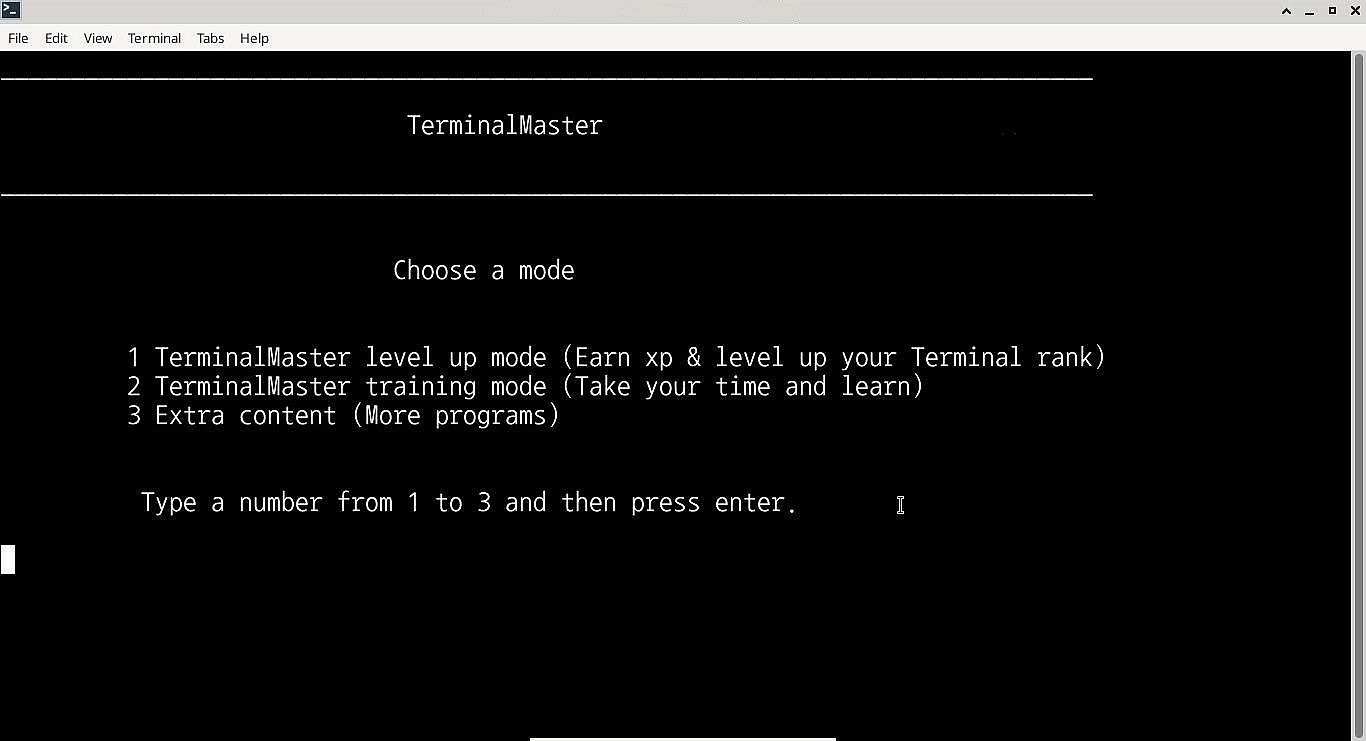
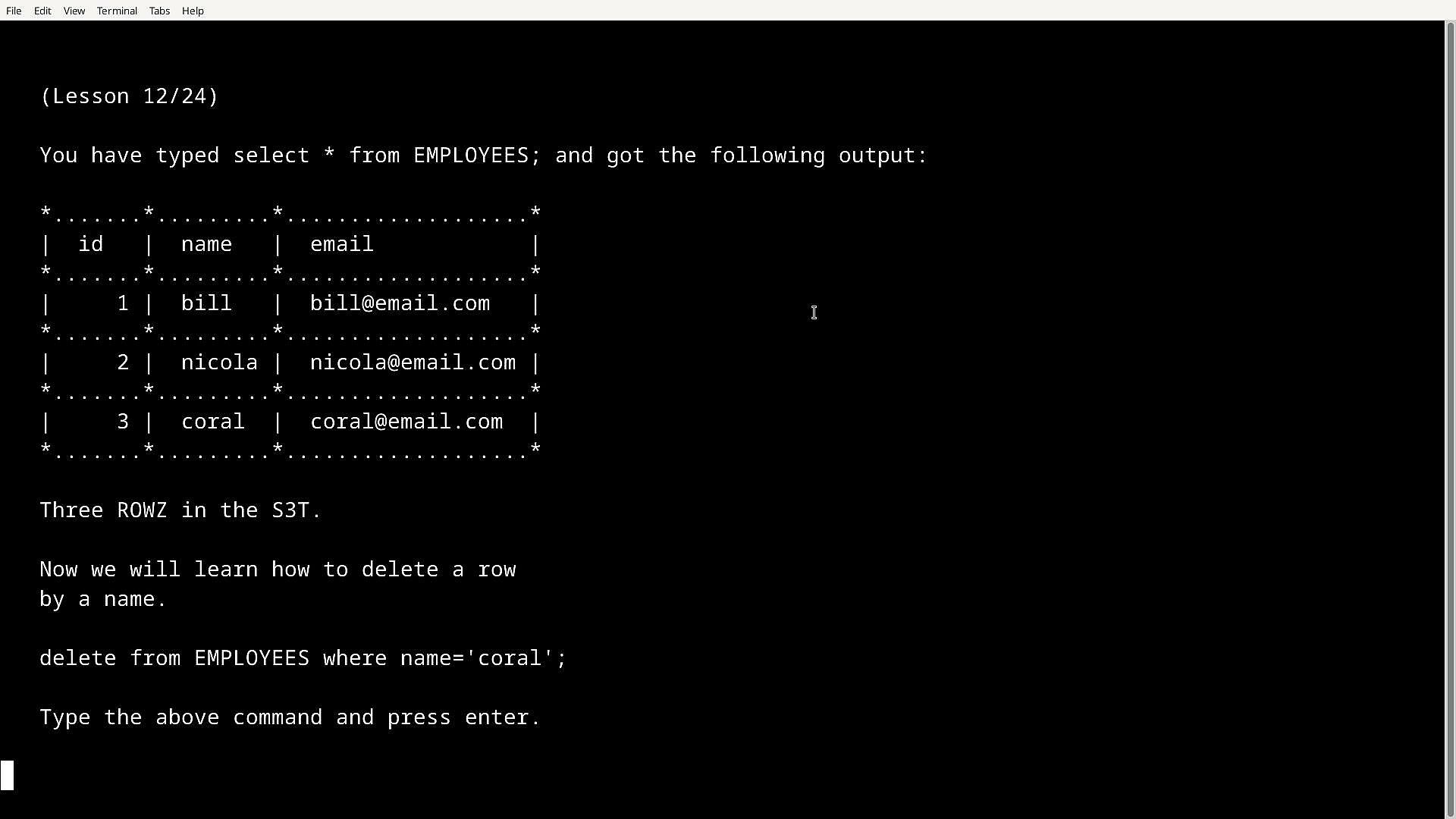
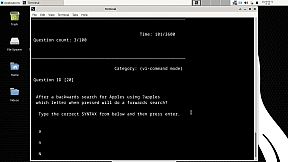
TerminalMaster is an application that's written to be run in Windows Command line & Bash Terminal which can help people learn how to use Linux庐 in the bash terminal and use Windows cmd. Not only can it help Linux newbies but also even challenege professionals up to (Linux Professional Institute) level and later serve as a reference.

From Terminal聽beginners to professionals:聽

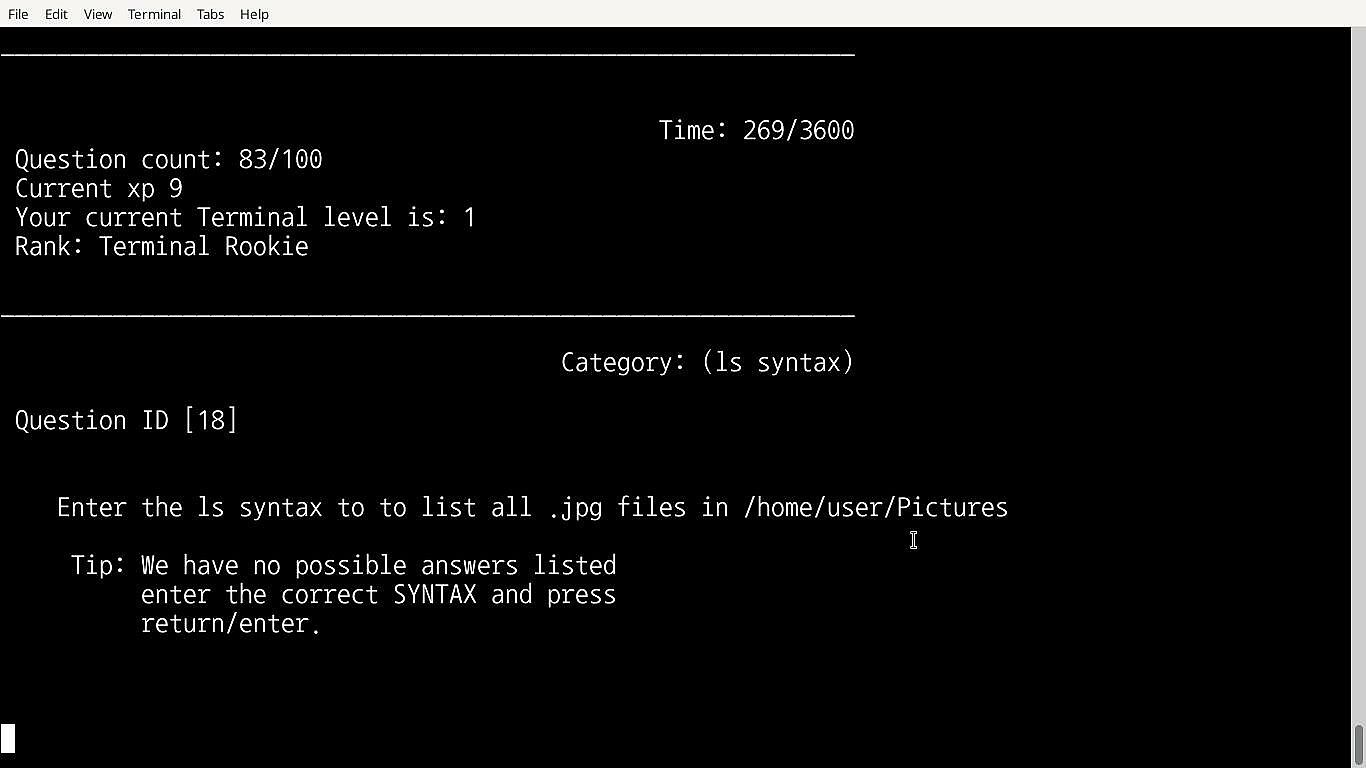
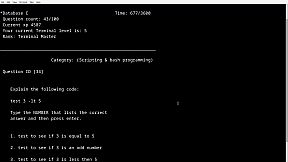
Starting with the Terminals tutorial and Advanced tutorial you can ease into using terminals along with learning to script and program in Bash terminal, you can be then tested on both with the included tutorial tests or you can combine both, what makes it more fun is you gain xp for each question you correctly answer and your skill level increases.

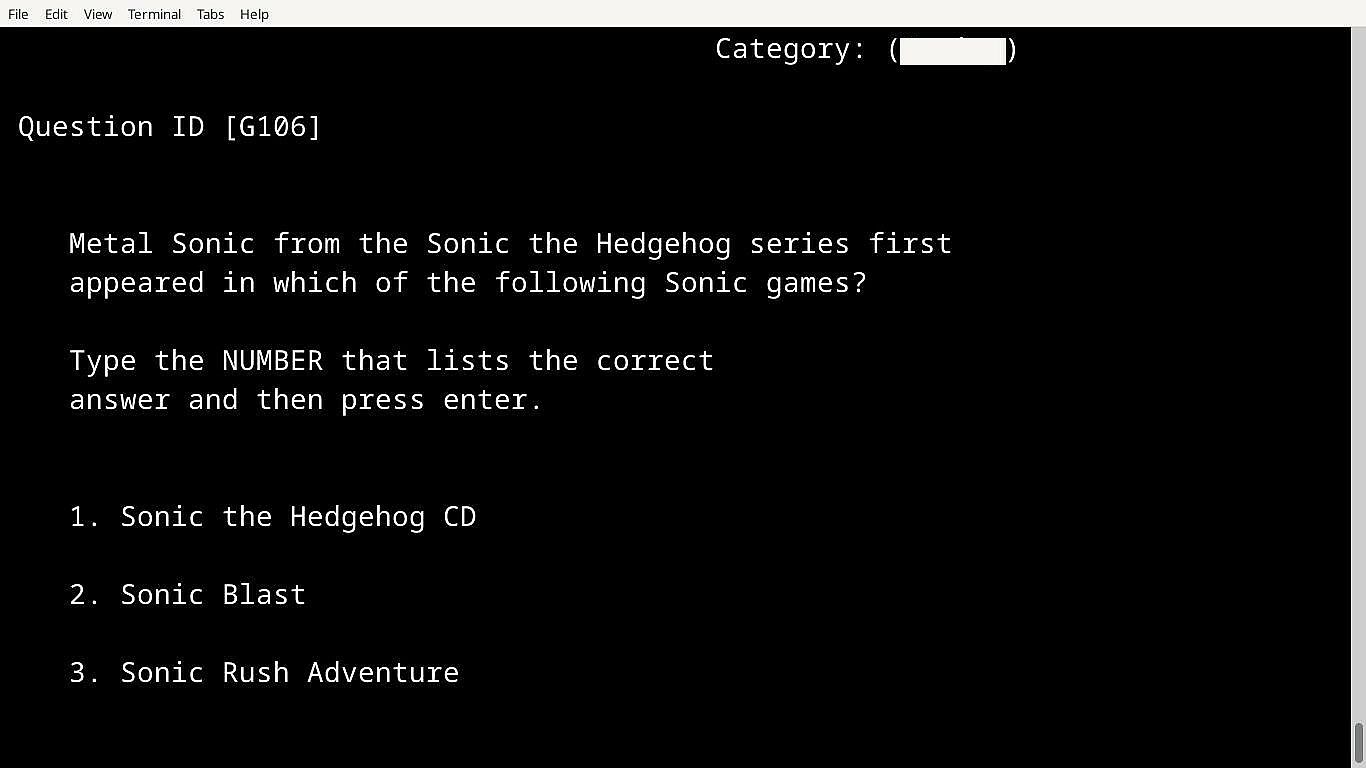
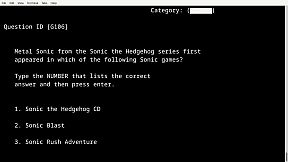
If you earn a certain amount of xp or pass a test you get unlock codes to unlock other cool tests such as the mixed datasbase which is a test based on computing questions, or the hidden gaming database which is a test based on gaming, and theres more.聽

How tests work:

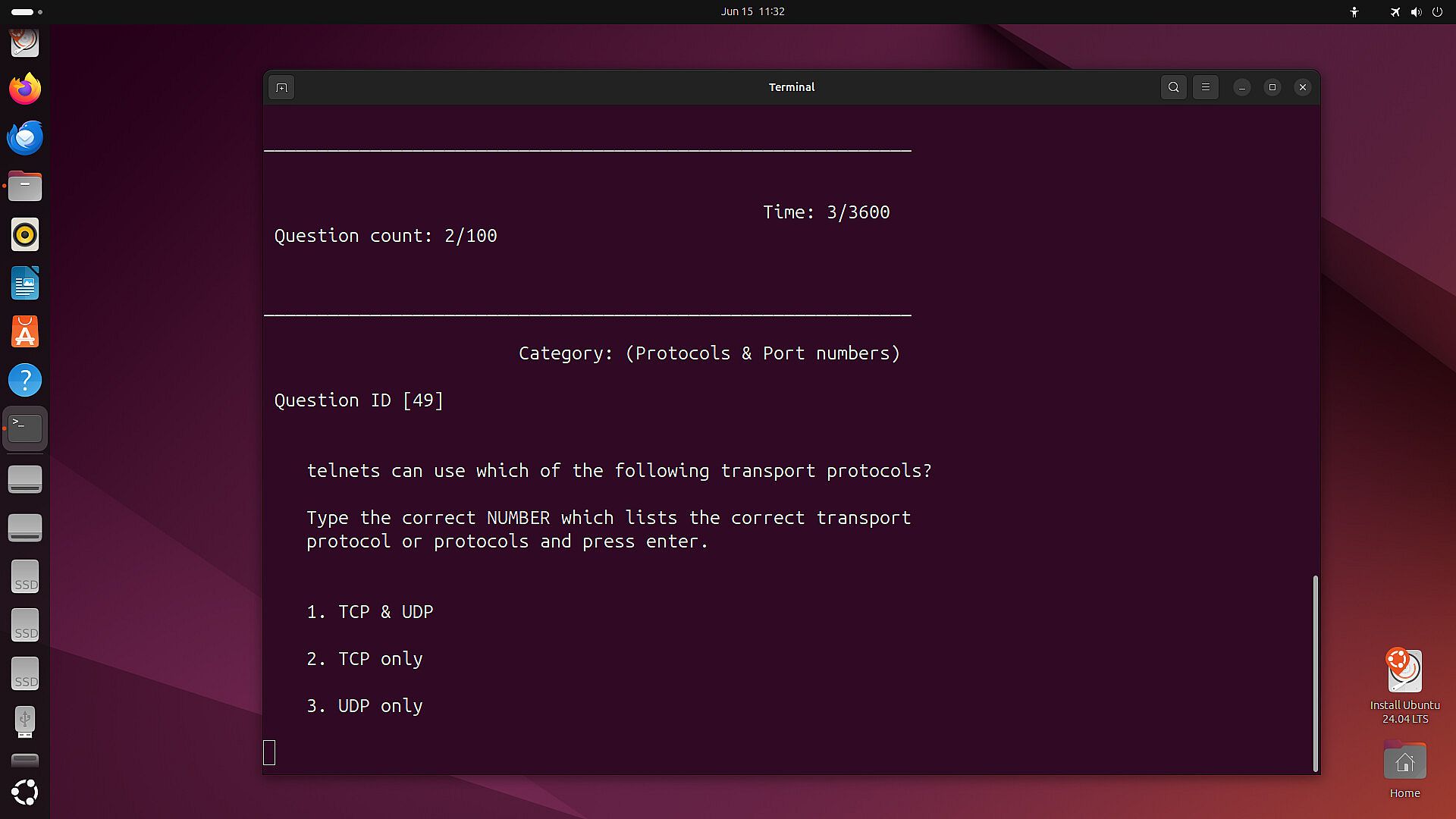
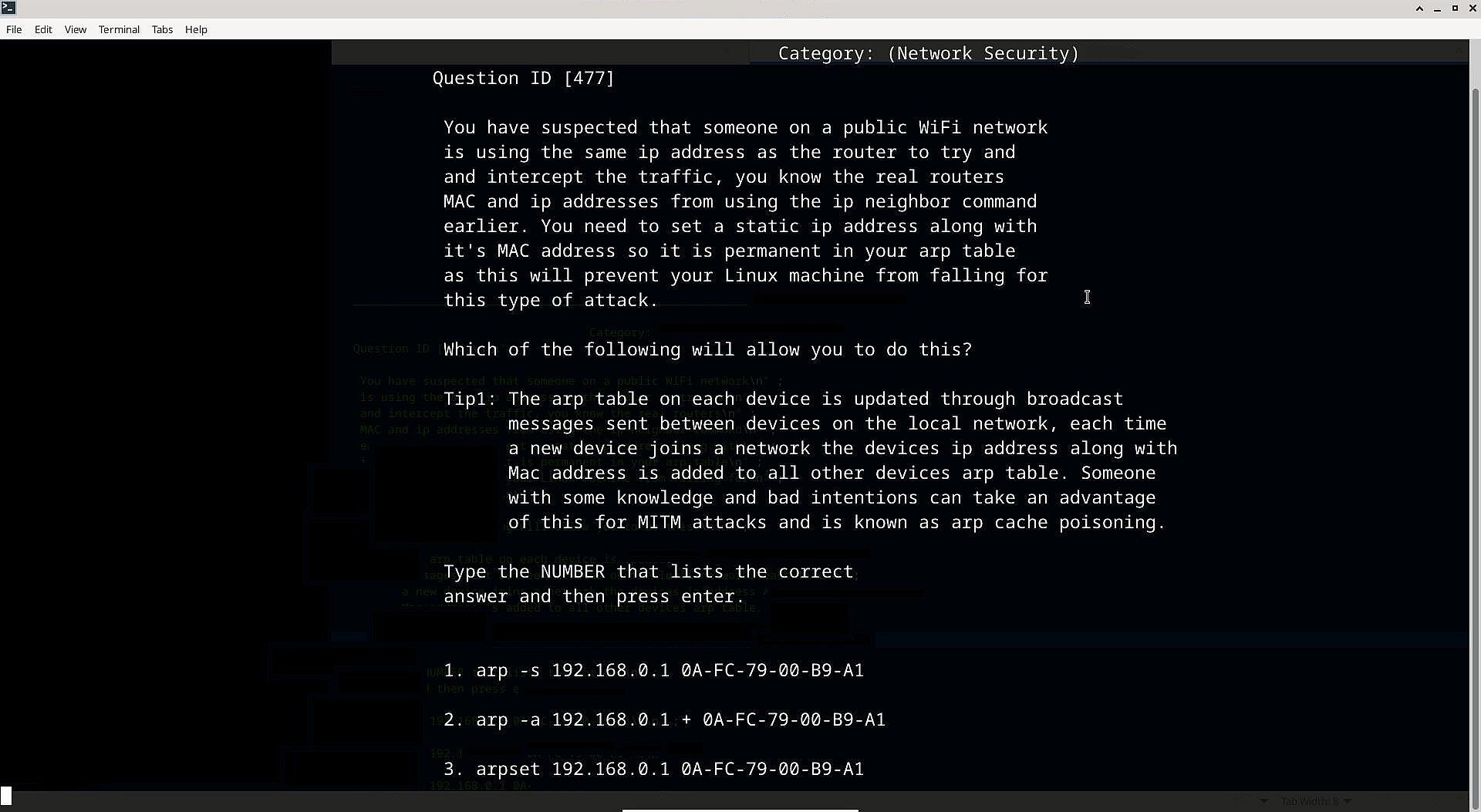
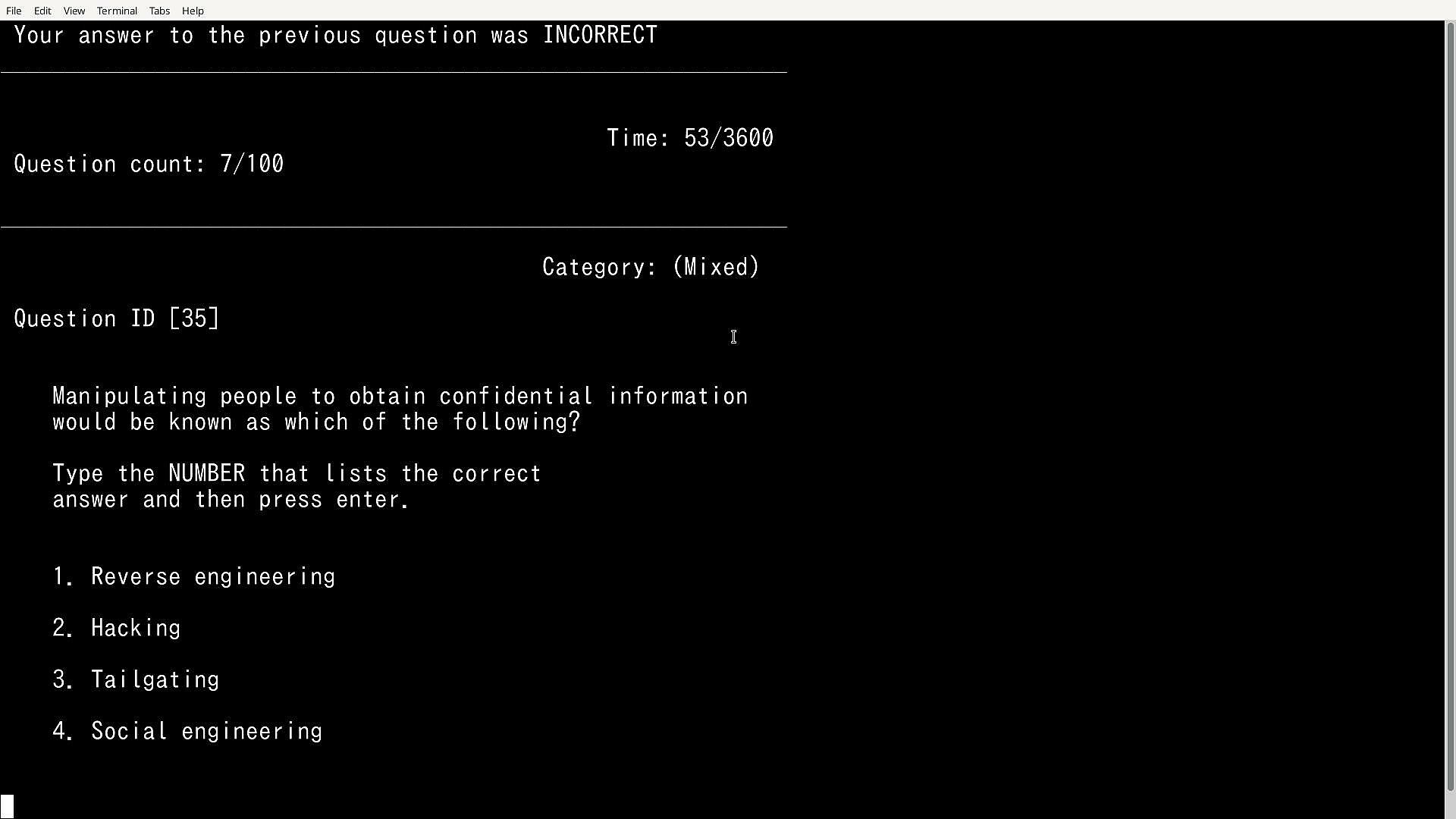
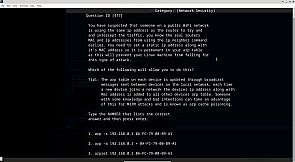
100 questions are randomly outputted from a larger database each run, the user is presented with three possible answers for each question with only one being the correct one, the user must then choose the correct one by typing the actual correct SYNTAX (the SYNTAX can also be copied and pasted to answer, this can be useful if the user is already familiar with a particular SYNTAX and does not wish to type it) that would be used in the real Bash terminal, because it's run in a terminal it gives an authentic feel to the real thing and users can remember the syntax overtime and use it within their own Linux installation.

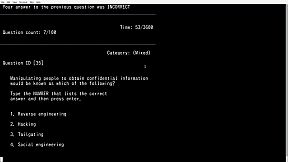
It will also present the user with true or false questions, pick the word/s etc that correctly completes the statement or to choose the number that lists the correct answer for other questions so there is a mix of SYNTAX, true or false & choose the correct number type of questions etc.

Modes:

The advanced databases:

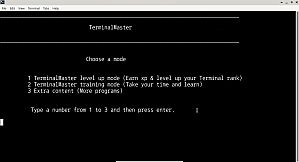
Training mode: In training mode the timer is turned off and if the user gets a question wrong the correct answer is outputted, tips are also displayed along side some questions for better understanding, the user also has the ability to view previously answered questions,聽 there is no level up in this mode.

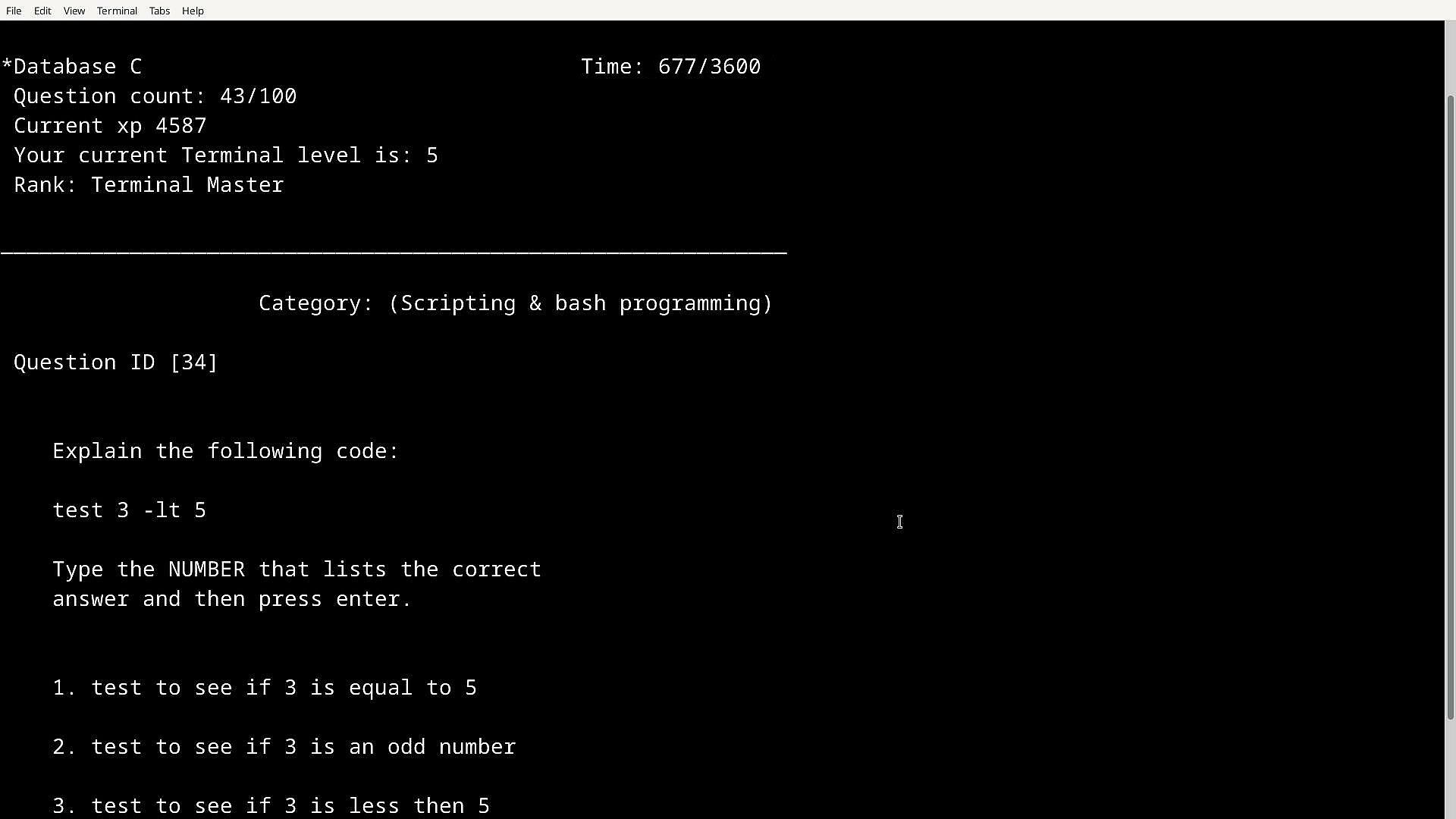
Level up mode: In this mode the user can level up with an XP system in place, you start of as Terminal Rookie and work you way up to the highest Terminal rank, in this mode if you get a question wrong you won't be told the correct answer and there is a timer in place (one hour) but if you get the answer right you get XP, the more XP you get will level up your Terminal Rank.

The passing score is 85+ which is gained by answering questions correctly, xp is saved and is carried over to all level up modes and even if you quit early. Learning is fun and so is leveling up, in TMSTR leveling up actually means something as your learning in the process.

Features:

Features over 2000+ questions which are randomly outputted from different TerminalMaster databases.

2 Large Linux databases (Main combined Databases A&B and Databases C&D), with the option to use smaller databases to target a specific group of questions (Databases A,B,C & D)

9 colours to choose from

150+ Tips in training mode

Terminals tutorial & Advanced tutorial (New to Bash terminal or cmd? learn the basics and more)

Terminals tutorial & Advanced tutorial tests聽

Unlockable Windows Command line test level up & training mode

Unlockable Hardcore mode (35 minutes, includes 4 databases combined, earn extra XP)

Unlockable Mixed Database (150 mixed questions from categories such as Networking, Security, and Hardware which are not exclusively based on terminals)

Hidden content

Featuring other very handy useful testing/learning tools:

Nmap tutorial

Subnetting testing app with tips

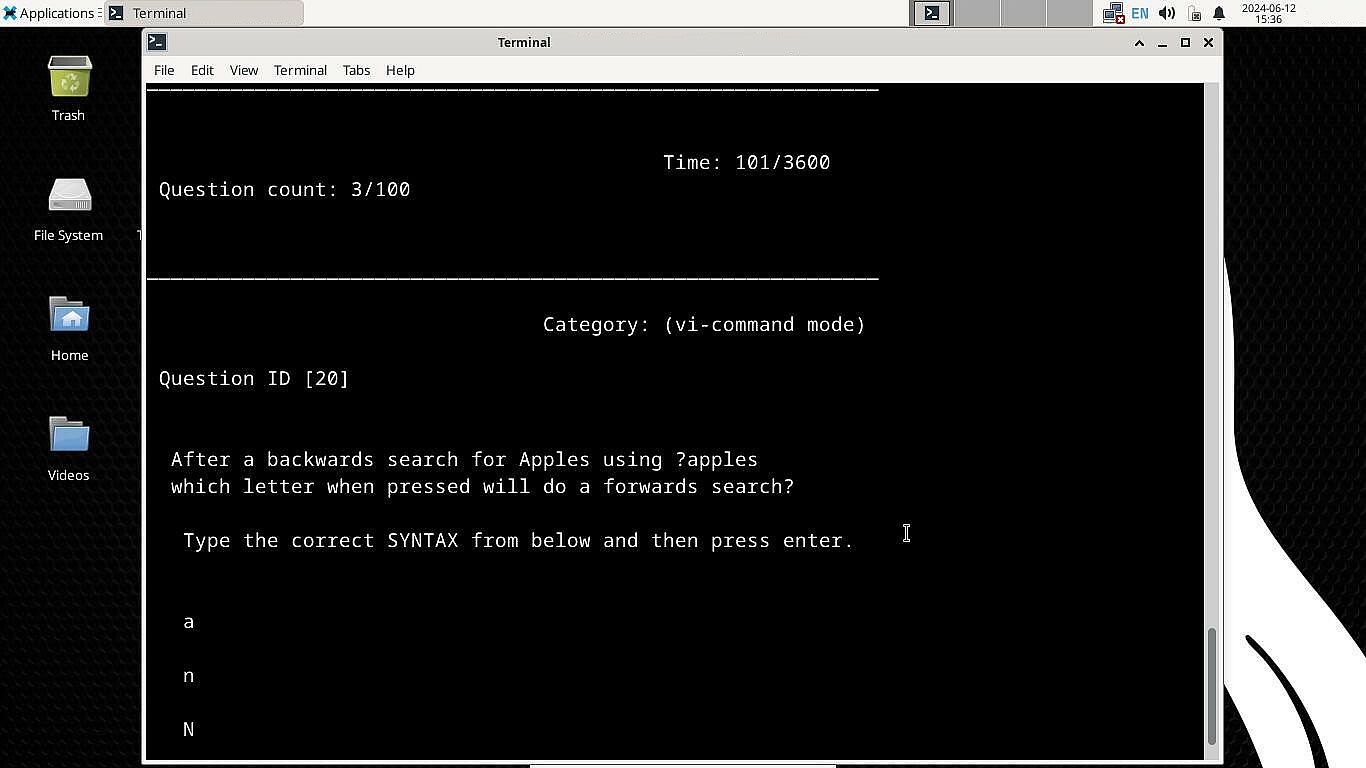
Vi Text Editor Testing program (Having trouble using the powerful Vi text editor tool, well this app will help you understand how it works, also available in Training mode)

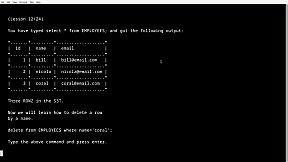
SQL & MYSQL training program (Learn how to create databases, tables ,add entries, edit data and more)

Ports database & testing program (How well do you know common ports? don't worry view the ports database first)

Linux庐 is the registered trademark of Linus Torvalds in the U.S. and other countries.

All trademarks mentioned in text within this information belong to their corresponding owners.

Interfejs:
English

Klasyfikacja wiekowa

Brak informacji

Minimalne:

  • System operacyjny: Windows 10/11 32bit or 64bit
  • Procesor: Single core processor 1GHZ
  • Pami臋膰: 2 GB RAM
  • Grafika: Integrated graphics or Graphics card
  • Dysk: 10 MB available space
  • Dodatkowe uwagi: No; Keyboard required

Zalecane:

  • System operacyjny: Windows 10/11 32bit or 64bit
  • Procesor: Single core processor 1GHZ
  • Pami臋膰: 2 GB RAM
  • Grafika: Integrated graphics or Graphics card
  • Dysk: 10 MB available space
  • Dodatkowe uwagi: No; Keyboard required

Minimalne:

  • System operacyjny: Debian, Ubuntu
  • Procesor: Single core processor 1GHZ
  • Pami臋膰: 2 GB RAM
  • Grafika: Integrated graphics or Graphics card
  • Dysk: 10 MB available space
  • Dodatkowe uwagi: No; Keyboard required, no cloud saving with Linux version, direct launching from Steam install directory instead of with Steam Play button required with Linux version.

Zalecane:

  • System operacyjny: Debian, Ubuntu
  • Procesor: Single core processor 1GHZ
  • Pami臋膰: 2 GB RAM
  • Grafika: Integrated graphics or Graphics card
  • Dysk: 10 MB available space
  • Dodatkowe uwagi: No; Keyboard required, no cloud saving with Linux version, direct launching from Steam install directory instead of with Steam Play button required with Linux version.
Historycznie najni偶sza cena
Historia cen ze sklep贸w oficjalnych
-
-
-
Historia cen z keyshop贸w
-
-
-

FAQ

8 pyta艅

Zanim zaczniesz szuka膰 taniego klucza TerminalMaster, sprawd藕 najwa偶niejsze informacje. Tw贸rcy: Paul Galvin. Wydawca: Paul Galvin. Data premiery na PC: 19 mar 2025. Gatunki: Indie, Simulation, Education, Software Training. Kategorie: Family Sharing, Single-player, Steam Cloud.

Q

Gdzie kupi膰 tani klucz Steam do TerminalMaster?

Korzystaj膮c z naszej por贸wnywarki cen i zweryfikowanych kod贸w rabatowych, mo偶esz kupi膰 klucz do TerminalMaster ju偶 od 45,99聽z艂. Ta oferta jest dost臋pna w Steam i nale偶y do najta艅szych na rynku. Wszystkie klucze na XD.deals s膮 dostarczane cyfrowo z mo偶liwo艣ci膮 natychmiastowego pobrania po p艂atno艣ci. Ceny uwzgl臋dniaj膮 ju偶 prowizje i kody promocyjne, wi臋c zawsze widzisz najni偶sz膮 cen臋 TerminalMaster na PC. Sprawd藕 histori臋 cen TerminalMaster, aby kupi膰 w najlepszym momencie.

Przy ostatniej aktualizacji (od艣wie偶amy ceny Steam kilka razy dziennie) cena TerminalMaster na Steam wynosi艂a 45,99聽z艂. Mo偶esz zaoszcz臋dzi膰 dodatkowe ~6% p艂ac膮c zdyskontowan膮 kart膮 podarunkow膮 Steam.

Nasz tracker cen obejmuje oficjalne sklepy i keyshopy, wi臋c znajdziesz TerminalMaster w promocji nawet poza sezonowymi wyprzeda偶ami. Obecnie wykrywamy 1 aktywna oferta z oficjalnych sklep贸w i keyshop贸w. Sprawd藕 tabel臋 powy偶ej, por贸wnaj z historycznie najni偶sz膮 cen膮 i ustaw alert, aby nie przegapi膰 kolejnego spadku.

Wed艂ug naszych danych TerminalMaster nie jest obecnie dost臋pne na GeForce NOW. Musisz uruchomi膰 gr臋 lokalnie na swoim PC. Przegl膮daj gry dost臋pne na GeForce NOW.

Tak. TerminalMaster ma oficjaln膮 stron臋 w sklepie Steam. Mo偶esz te偶 kupi膰 klucz Steam do TerminalMaster od zewn臋trznych sprzedawc贸w. Nasza por贸wnywarka zawiera obecnie 1 oferta z DRM Steam. Wybierz jedn膮, aby mie膰 pewno艣膰, 偶e pobierzesz TerminalMaster na platformie Valve.

Nie w tym momencie. Valve oznacza TerminalMaster jako niewspierane na Steam Deck. 艢led藕 XD.deals - monitorujemy aktualizacje Proton i poprawki spo艂eczno艣ci. Przegl膮daj gry zweryfikowane na Steam Deck lub grywalne na Steam Deck.

TerminalMaster nie jest obecnie dost臋pne w PC Game Pass, EA Play, Ubisoft+ ani 偶adnej innej subskrypcji na PC. Jedyn膮 opcj膮 jest zakup gry - u偶yj XD.deals, aby znale藕膰 najlepsz膮 cen臋.

Nie - XD.deals nie jest sklepem. Jeste艣my por贸wnywark膮 cen, kt贸ra 艣ledzi najlepsze oferty na TerminalMaster w oficjalnych sklepach i zweryfikowanych keyshopach. Kliknij "Przejd藕 do sklepu" przy wybranej ofercie, a przekierujemy Ci臋 na stron臋 sprzedawcy.

Najlepsze ceny za TerminalMaster

1 Steam Steam Official
45,99聽z艂

Chcesz kupi膰 w najlepszym momencie? Ustaw alert cenowy na XD.deals i otrzymaj powiadomienie, gdy TerminalMaster osi膮gnie historycznie najni偶sz膮 cen臋.

Utw贸rz alert
Do艂膮cz do Discorda
Uzyskaj szybk膮 pomoc od spo艂eczno艣ci i b膮d藕 na bie偶膮co z promocjami
Ustaw alerty cenowe
Otrzymuj powiadomienia e-mail, gdy cena gry spadnie do Twojego poziomu
Za艂贸偶 darmowe konto
Odblokuj wishlisty, alerty cenowe i synchronizacj臋 ze Steam










